Get license
To retrieve your license file, enter the transaction ID provided at checkout along with the email address used for your purchase.
How to activate a license file
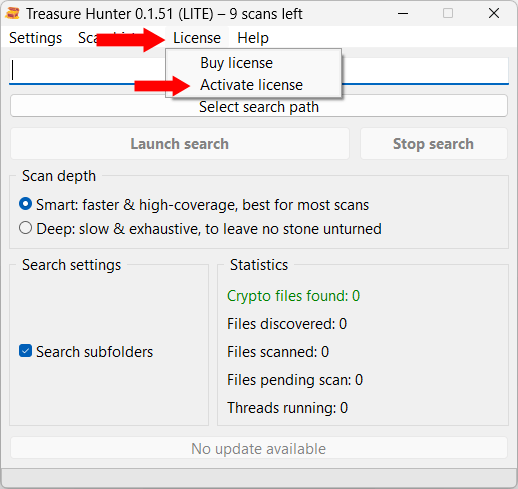
When you enter a valid transaction ID and email combination, your browser will download your license file. Save it to your computer and open Treasure Hunter. Click License and Activate license in the menu.
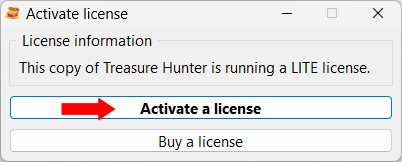
The window below will appear. Click Activate a license and select your license file. You’ll then need to restart Treasure Hunter. You’re now good to go!
Note that activating a license doesn’t require an Internet connection. You can do it in a completely offline environment if that’s what you prefer.